
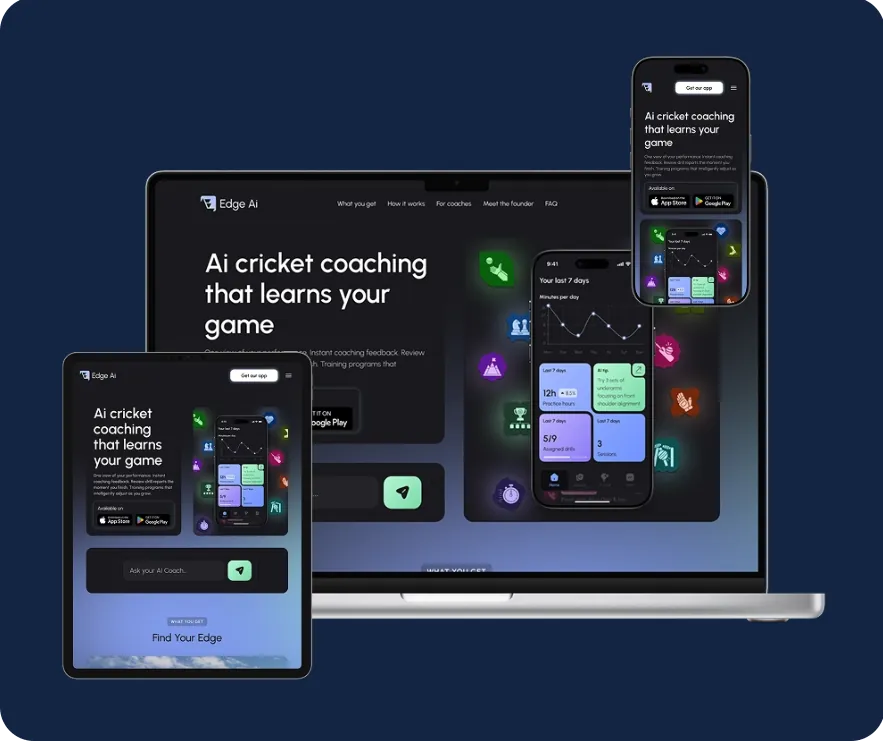
AI cricket coaching that connects athletes and coaches in one mobile platform.
01 Executive summary
One platform for how athletes train and how coaches coach.
Client and market
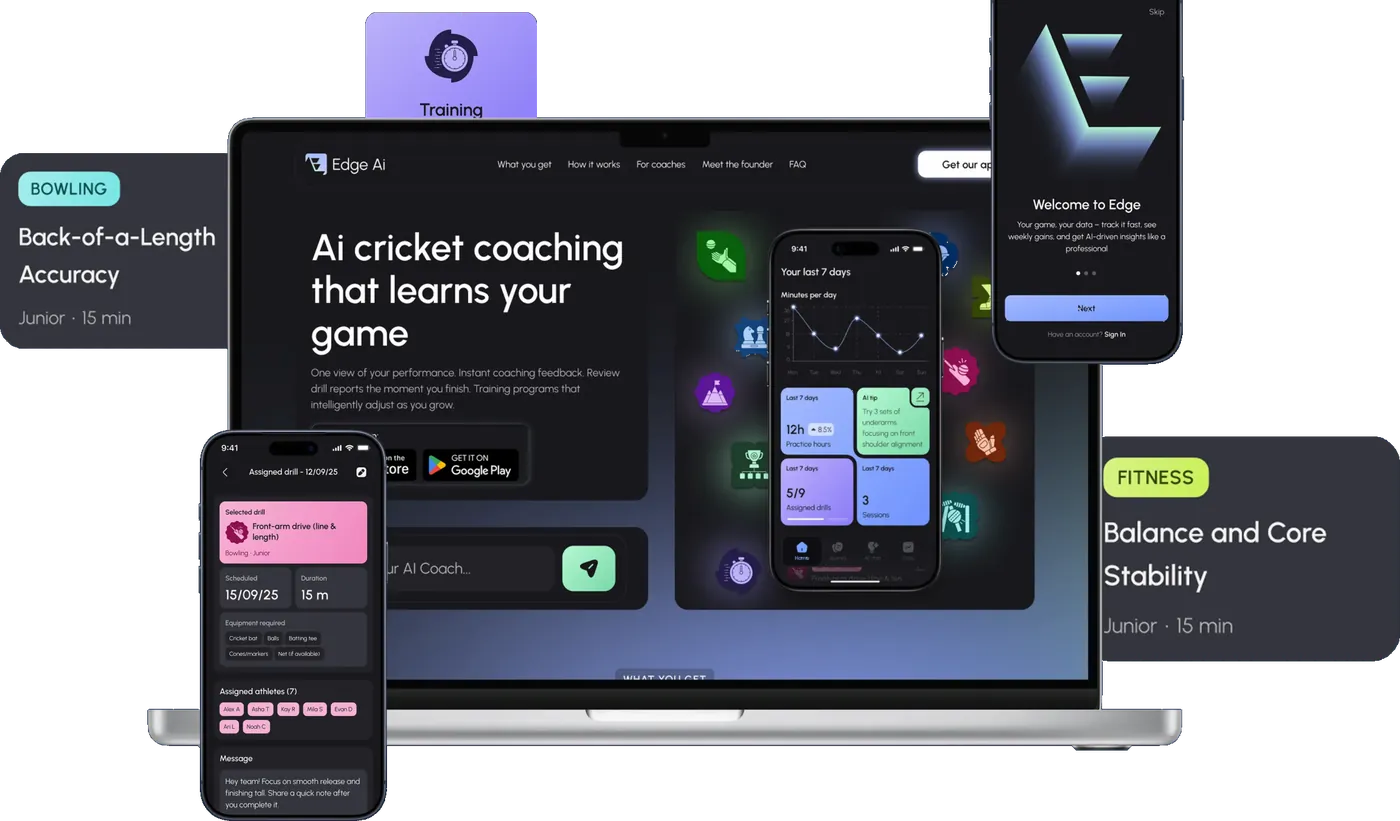
EDGE is an Australian sports technology product for cricket. It serves two audiences with different jobs: athletes working on their own development, and coaches responsible for many athletes at once.
Challenge
Build two distinct, role-specific experiences inside one app, keep them in sync through shared services, and ship them natively on iOS and Android on a foundation built to keep growing.
Product
Athletes log training sessions and matches, set goals, keep a training journal and receive AI-assisted recommendations. Coaches manage athletes, assign drills, review performance and share match and monthly reports.
What Digital Growth Labs delivered
- Product discovery, UX research and UI design, from user flows to a cross-platform design system
- Native iOS and Android apps on a shared Kotlin Multiplatform business layer
- Ruby on Rails backend on AWS with shared APIs and role-based access
- AI-assisted coaching, product analytics, QA and release support
5mo
MVP development
10+mo
Total partnership
9
Specialists on the team
1
Shared codebase for 2 platforms
Attribution. Digital Growth Labs delivered EDGE as white-label engineering partner to URLaunched (You are launched), where this project is also published.
02 The challenge
Progress was hard to see because training data was scattered.
Athletes and coaches needed different things, but shared one problem: training data was fragmented across tools, progress was difficult to track, and communication relied on manual updates.
Athletes
Limited visibility into long-term progress and training consistency, which made improvement hard to measure and trends hard to spot. They needed clarity, consistency and instant feedback after each session.
Coaches
Tracking many athletes and sessions at once without a clear overview. They needed faster feedback loops and a reliable picture of each athlete's development to make confident decisions.
Business goal
Build an AI-powered coaching platform that helps athletes train smarter, gives coaches a professional workspace, and supports long-term growth through scalable architecture and analytics-driven decisions.
Product complexity
Two distinct experiences inside a single application. Each role needed its own tools, flows and access rules, without splitting into two separate products that drift apart.
Technical complexity
- Role-based access
- Shared business logic
- Native iOS and Android
- Cross-platform consistency
- AI recommendations
- Performance analytics
- Long-term scalability
- Continuous product evolution
Core problem
Keep each role's experience specific, while synchronising both through shared backend services and reusable business logic.
03 Our approach
Define the roles first, then build one foundation beneath them.
A full-cycle engagement, from early product vision and technical planning through MVP delivery, testing, release and continued platform evolution.
-
01
Discovery
Product discovery, requirements analysis and UX research. Two primary personas, an athlete and a coach, were defined to prioritise needs and shape the key flows.
What it solvedGrounded every later decision in two concrete roles.
-
02
Product strategy
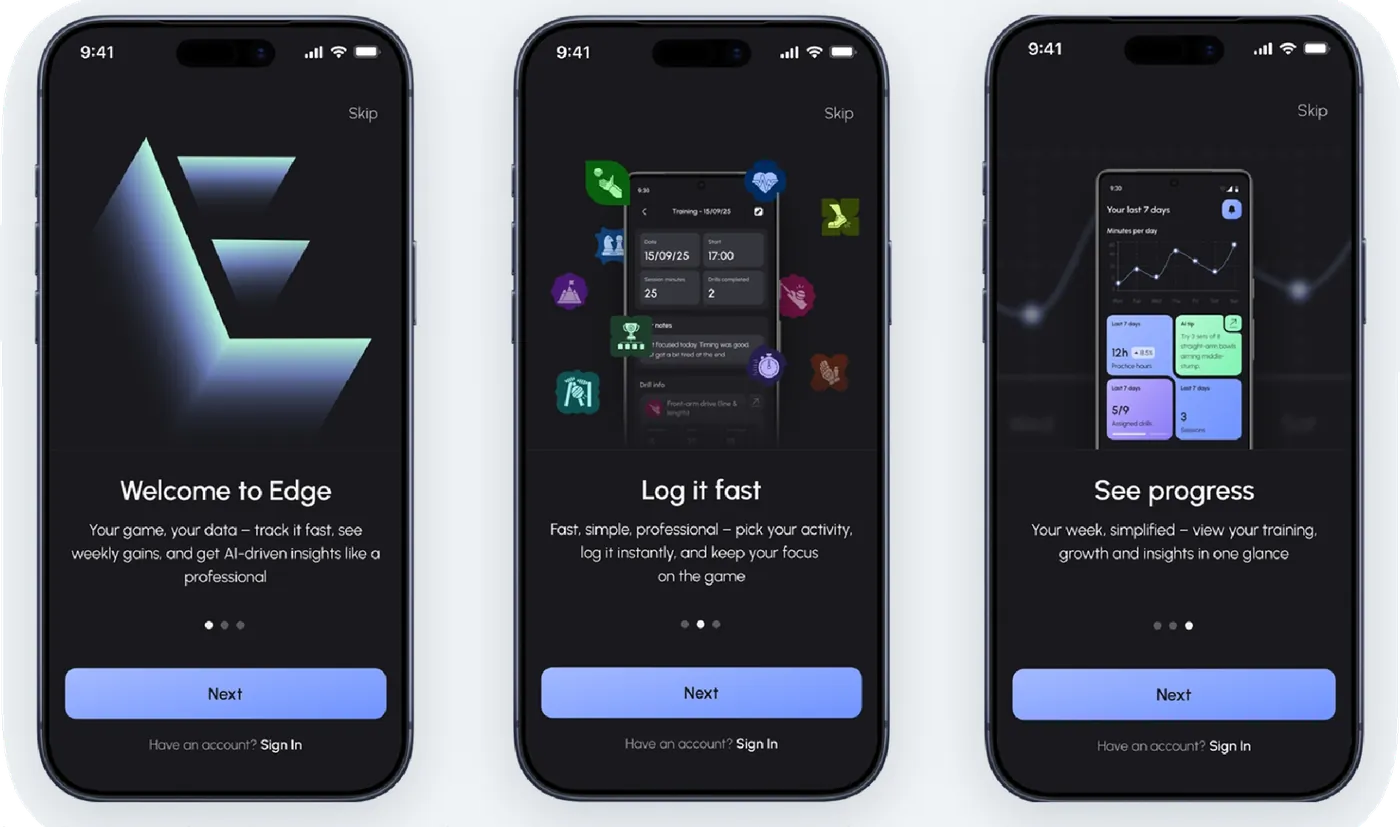
Onboarding built to show benefits instead of listing features. Dedicated workspaces for athletes and coaches rather than one generic interface.
What it solvedFewer steps between download and a first training session.
-
03
UX and UI
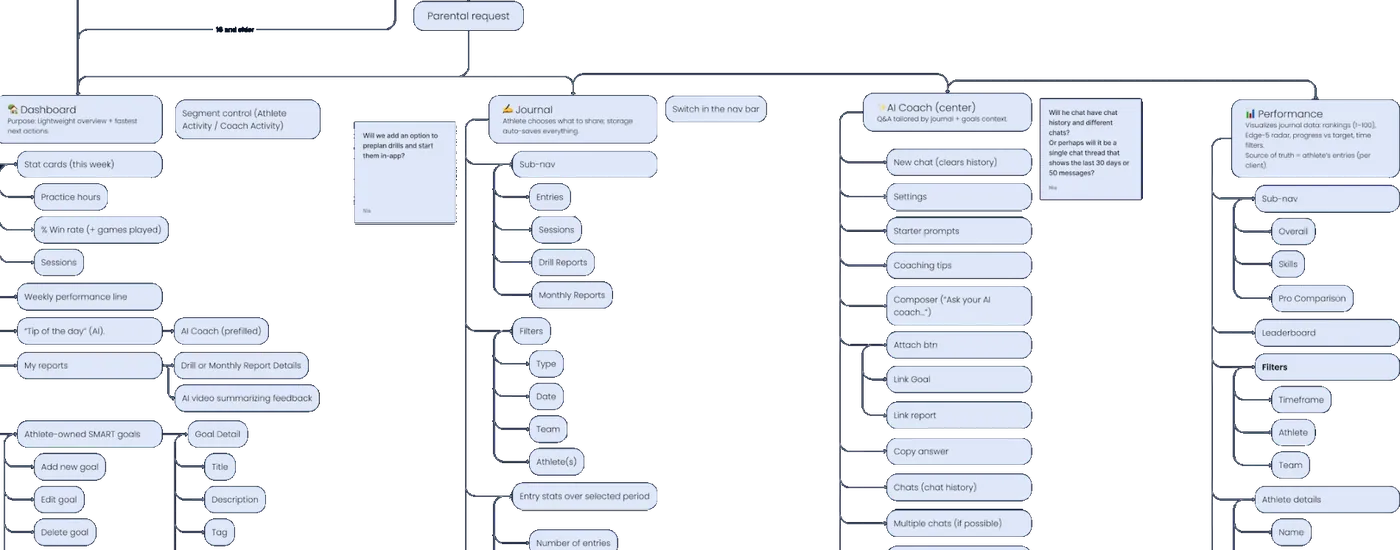
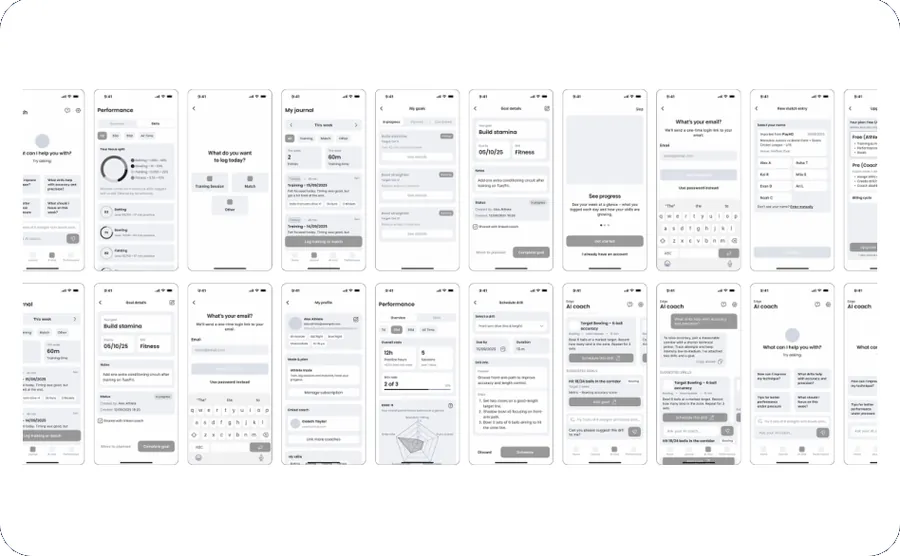
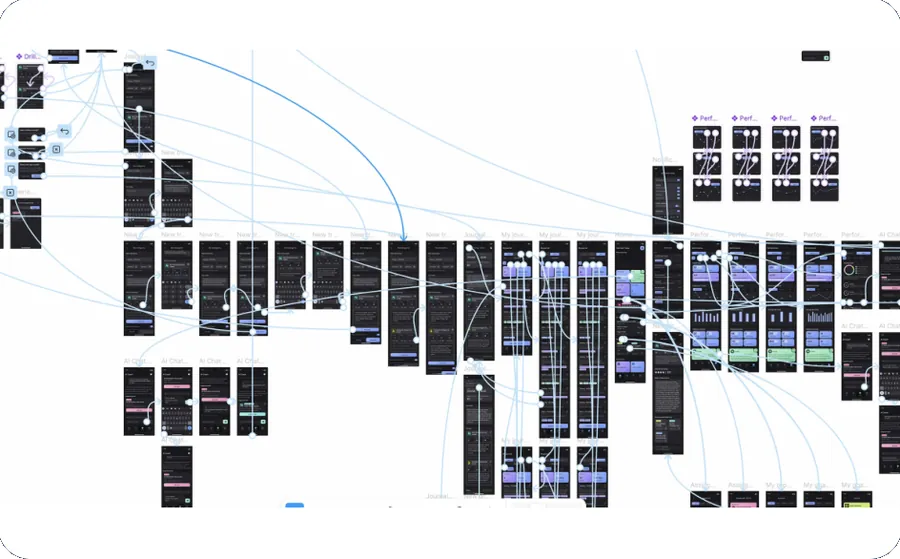
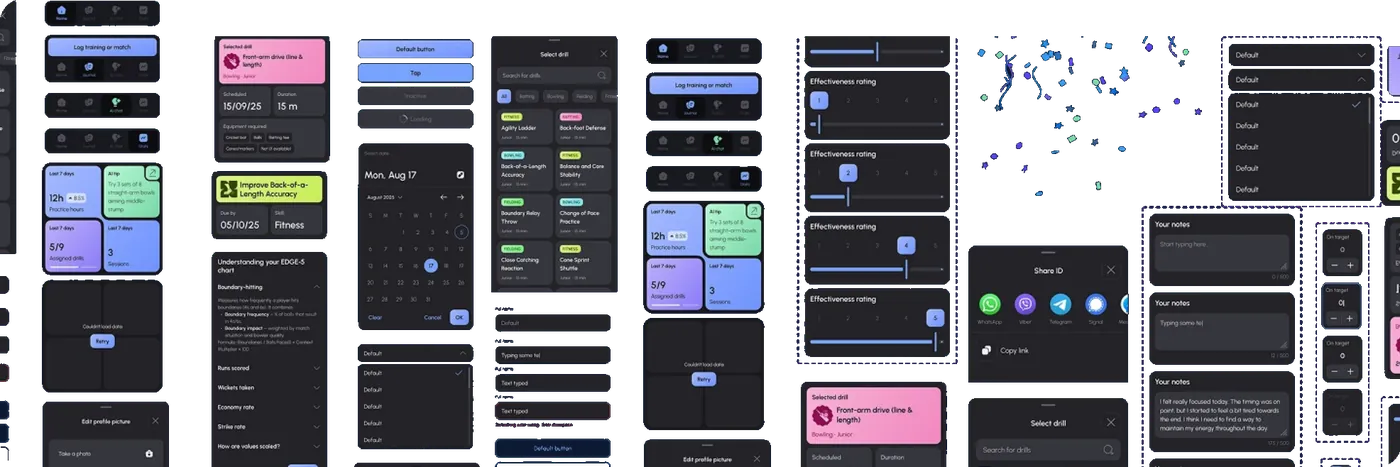
User flows, low-fidelity wireframes and animated prototypes to test real interactions before development, followed by a design system with reusable states.
What it solvedConsistency held as new features were added.
-
04
Architecture
Technical discovery, architecture and API planning. The platform was structured around reusable business domains instead of isolated screens.
What it solvedOne foundation, with dedicated access rules for each role.
-
05
Development
Shared business logic in Kotlin Multiplatform with native UI on each platform, a Ruby on Rails backend, API integration, data management and code review.
What it solvedConsistent behaviour on iOS and Android without losing native feel.
-
06
QA and launch
QA and regression testing, bug fixing, performance optimisation, release validation and deployment, then maintenance and refinement across the partnership.
What it solved100% crash-free testing sessions across tested app flows.
03 Our approach: design process
Every flow was mapped and prototyped before development began.
04 The product
Two roles, one connected training loop.
Each role has its own journey. Shared backend services connect them, so what a coach assigns and what an athlete records meet in the same place.
Athlete
Improves consistently
Get started
Onboarding focused on core value
Log
A training session or a match
Train
Follow drills assigned by the coach
Review
Reports, progress and AI feedback
Refocus
Set the next personal goal
Assigned drills, logged sessions, feedback and reports stay in sync between both roles
Coach
Guides many athletes
Overview
Coaching week and athlete progress
Assign
Drills for one or more athletes
Review
Drill reports with AI recommendations
Respond
Feedback, match and monthly reports
04 The product: key screens
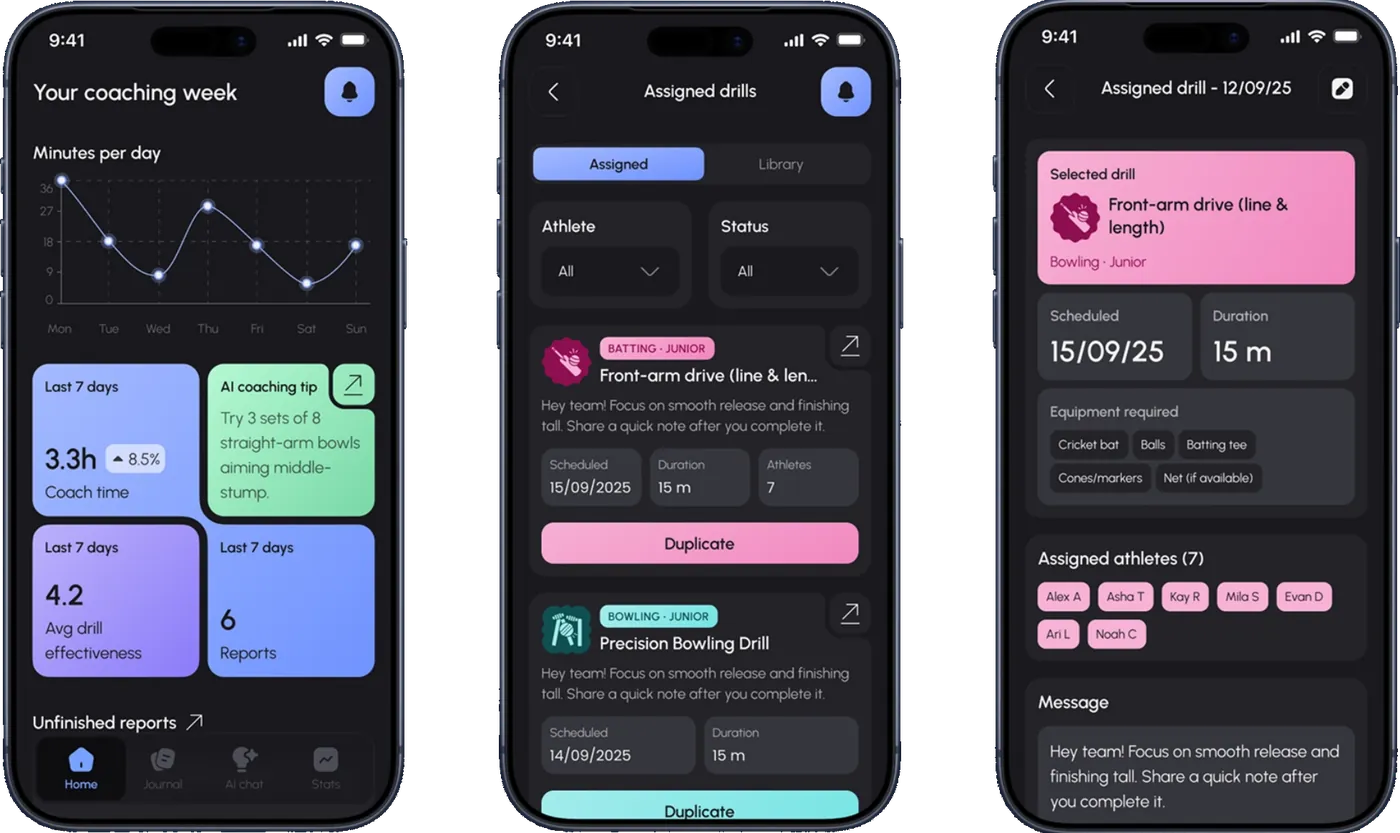
Designed around what happens right after a session.
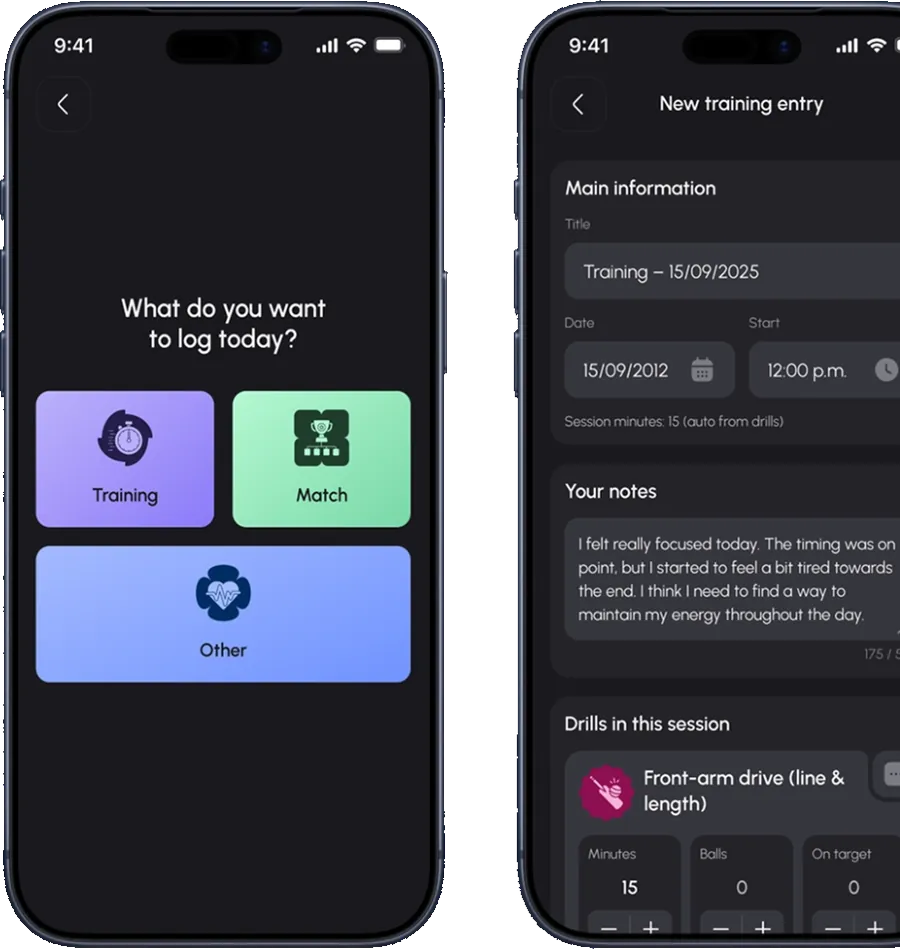
Athlete journal
Athletes choose what to log, a training session, a match or something else, then record notes and the drills completed in that session.
The journal gives players a dedicated space for notes, feedback, recovery and personal development across the season, and feeds the progress history that athletes and coaches review together.
05 Engineering
Organised around business domains, not screens.
Athletes and coaches share one platform foundation while keeping dedicated experiences, access rules and flows. Business logic is written once in Kotlin Multiplatform; the interface stays native on each platform.
Experiences
Role-specific
Athlete
Training, journal, goals, progress, AI guidance
Coach
Athletes, drill assignment, reviews, reports
Native clients
Platform-specific UI
iOS app
Native UI components
Android app
Native UI components
Shared layer
One codebase
Kotlin Multiplatform business layer
Shared business logic and reusable components, separated from the UI
Backend
Shared services
Ruby on Rails
Shared backend services, role-based access, data management
Infrastructure
AWS cloud infrastructure
Simplified view. Domain labels reflect the product capabilities the architecture is organised around.
Native where it is felt
Platform-specific UI components on iOS and Android keep interactions familiar to each platform's users.
Shared where it matters
Business rules live once in the Kotlin Multiplatform layer, so both apps behave the same way as features change.
One source of truth
Rails services and shared APIs on AWS serve both roles, enforcing role-based access in one place.
05 Engineering: stack and decisions
Technical choices for a product meant to keep growing.
Technology stack
- Mobile
- Kotlin Multiplatform (KMP/KMM), native iOS and Android UI, platform-specific components
- Backend
- Ruby on Rails, shared APIs, role-based access
- Cloud
- AWS cloud infrastructure
- AI
- AI-assisted coaching: drill suggestions, cricket knowledge base, context-aware guidance
- Analytics
- Event tracking built into the product
- Delivery
- Code review, QA and regression testing, release validation, continuous delivery
Why these decisions were made
- 01
Shared business layer, native interface
Kotlin Multiplatform keeps behaviour consistent across iOS and Android from one codebase, without trading away a native mobile experience.
- 02
Domains instead of screens
Modular business domains mean new features, user roles, AI capabilities and analytics can be added without rebuilding the platform.
- 03
Role-based access on a shared backend
Athletes and coaches work from the same underlying data while each sees the tools and permissions their role requires.
- 04
Analytics from day one
Instrumenting user journeys early gave the team evidence on behaviour and feature adoption from the first release.
- 05
Quality as a continuous process
QA, regression testing and release validation ran throughout the engagement, not only before launch.
06 Key capabilities
Five capabilities that carry the product.
Athlete development
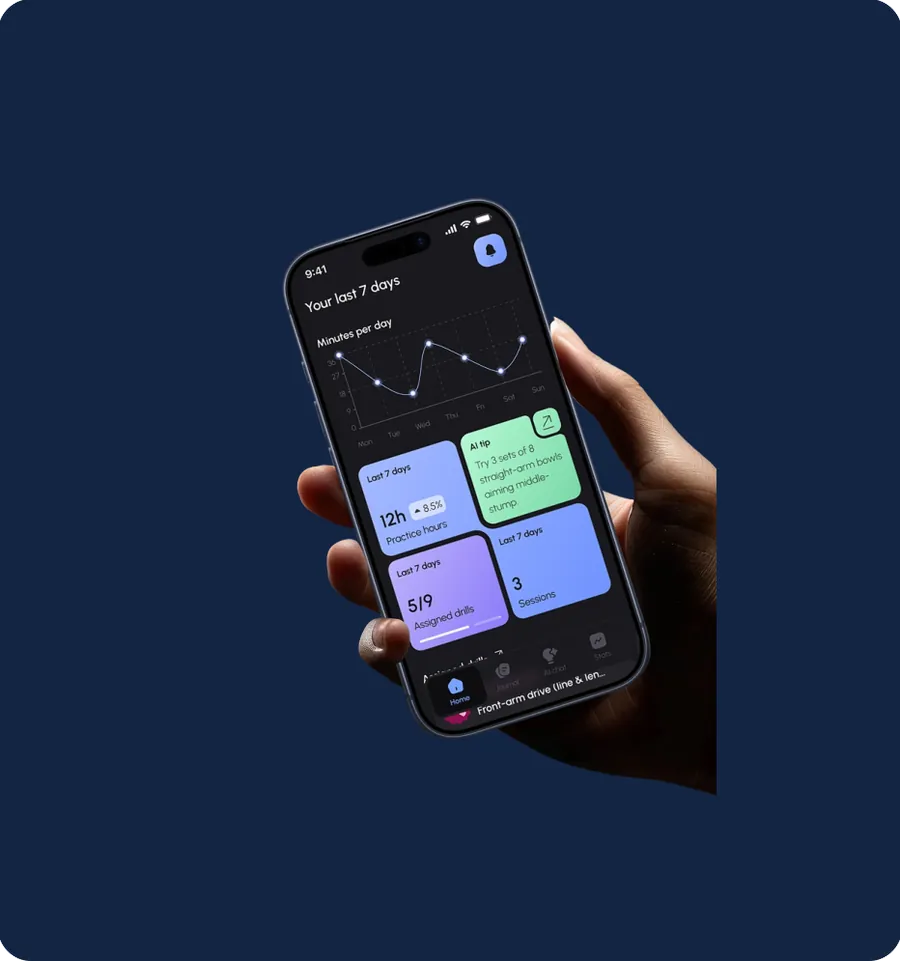
A personal space to log sessions, follow assigned drills and monitor progress over time, with insights that show what to improve next.
ValueKeeps athletes consistent and clear on their next training goal.
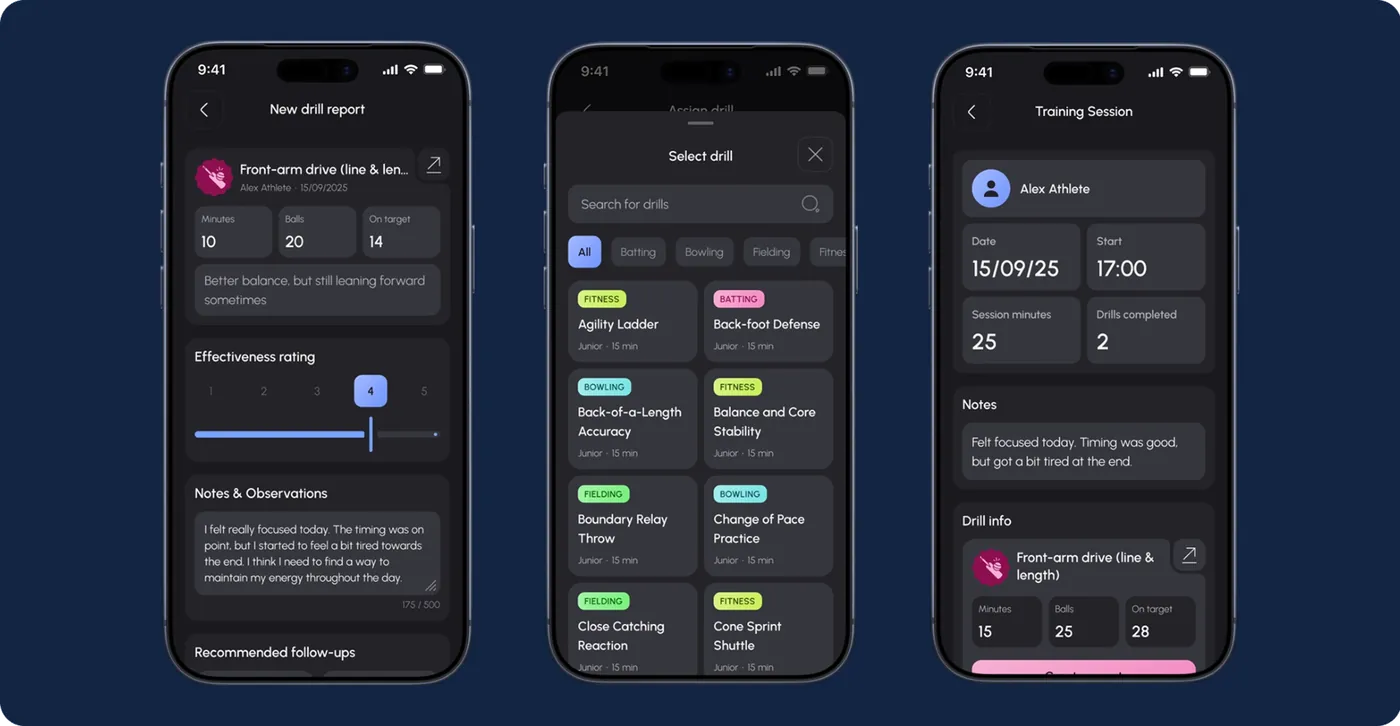
Coach workspace
Manage athletes, create drill reports, pick from the drill library and review training sessions in one workflow.
ValueFaster decisions and more relevant feedback for every athlete.
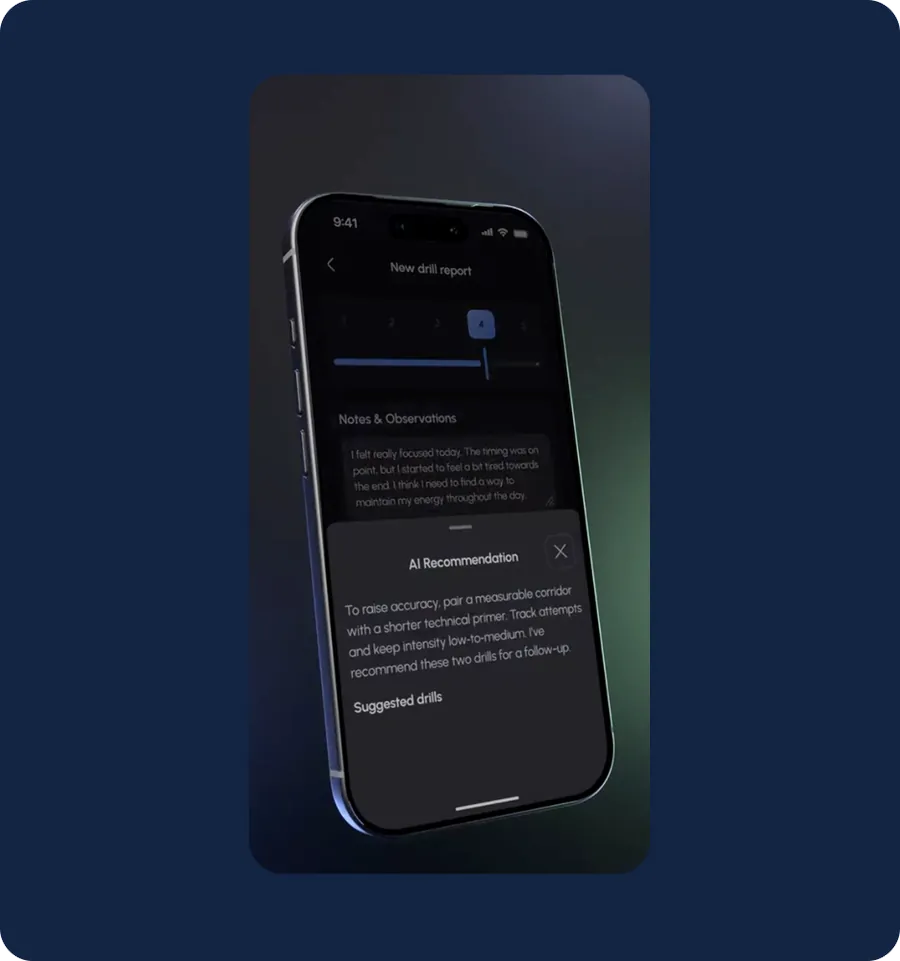
AI coaching assistant
Contextual guidance, personalised drill suggestions and cricket-specific answers that support the coach’s judgement rather than replace it.
ValueTurns each drill report into a concrete follow-up.
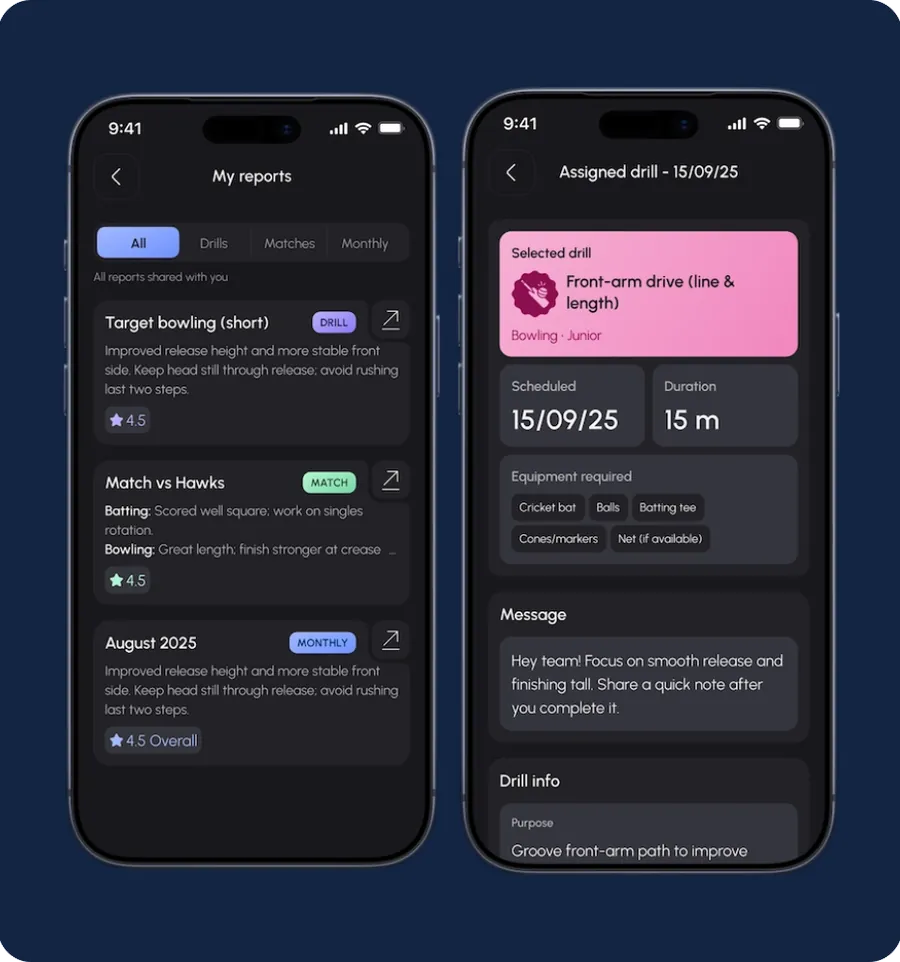
Performance tracking and reports
Training records, match performance, goals, journals and reviews build a history that athletes and coaches can read together, filtered by drills, matches or month.
ValueTraining decisions grounded in recorded activity and development history.
Built-in product analytics
Part of the product from day one, tracking user journeys, behaviour and feature adoption.
ValueEvidence for deciding what to build next.
75+
Analytics-enabled screens
50
Tracked analytics events
07 Results and impact
A stable, measurable platform, with an MVP in five months.
80%+
of testers could navigate the app without guidance.
Client-reported, from EDGE founder Mac Jenkins' public Clutch review.
100%
Crash-free testing sessions across tested app flows.
2
User roles
Athletes and coaches in one shared ecosystem
2
Mobile platforms
iOS and Android from one shared Kotlin Multiplatform codebase
250+
Professional cricket drills
Available for structured athlete development
75+
Analytics-enabled screens
Supporting product intelligence and behaviour tracking
50
Tracked analytics events
Monitoring user journeys and feature adoption
10+
Months of partnership
From discovery through release and continued evolution
07 Results: delivery
Delivered end to end by a nine-person product team.
Delivery timeline
Platforms and deliverables
- Native iOS app
- Native Android app
- Ruby on Rails backend on AWS
- Responsive marketing landing page
- Promotional product video and social media creatives
Project team
- 1 Product manager
- 1 UI/UX designer
- 2 Kotlin Multiplatform engineers
- 2 Backend engineers
- 2 QA engineers
- 1 DevOps support
“What has stood out most about working with You are launched is their responsiveness.”
08 Why it worked
Five decisions behind the result.
- 01
Architecture followed the product model
Structuring the platform around business domains let two very different roles share one foundation while each kept its own experience and permissions.
- 02
Logic shared, interface kept native
One Kotlin Multiplatform business layer served both apps, so iOS and Android stayed consistent without compromising the native feel users expect.
- 03
Flows were proven before they were built
Animated prototypes tested real interactions ahead of development. The client later reported that over 80% of testers navigated the app without guidance.
- 04
Onboarding sold the benefit, not the feature list
Keeping entry focused on core value removed steps between installing the app and starting a first training session.
- 05
Measurement and quality were built in
Fifty tracked events across 75+ screens, and QA that ran throughout, gave the product a stable, observable base: 100% crash-free testing sessions.
EDGE worked because product and engineering decisions were made together. Two roles were defined clearly, each got its own experience, and one shared, instrumented foundation sat beneath them. That let the platform reach MVP in five months and keep evolving afterwards.

Have a product idea?
Digital Growth Labs is a product design and engineering partner. We take complex product ideas from concept to launch.
New business
Online
Offices
- 1563 McClure Woodland CA 95776
EDGE was delivered by Digital Growth Labs as white-label engineering partner to URLaunched (You are launched), where the project is also published. Project facts and figures in this document come from that published case study and the client's public review.